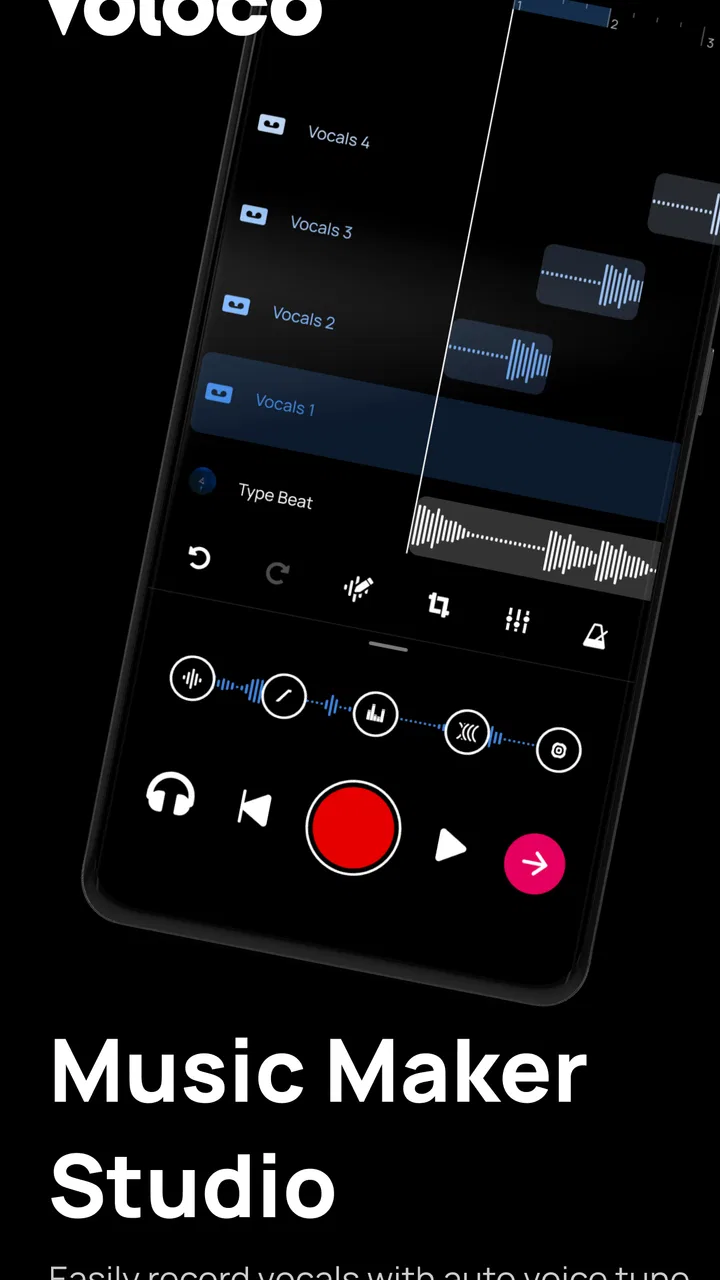
Voloco: Auto Vocal Tune Studio
- 4.6
- Rating
- 50.00M
- Installs
- Free
- Price

 Analysis by App-foxy
I approached Voloco: Auto Vocal Tune Studio as a recording tool rather than a novelty voice filter. That distinction matters. The app sits in the Music & Audio category and is made by RESONANT CAVITY, but its real appeal is the way it lets a casual singer turn a phone recording into something with a more deliberate vocal character. I found it most interesting when I treated it as a quick sketchbook for melodies, harmonies, and performance ideas instead of expecting it to replace a complete desktop studio.
The app is free to install, carries a Teen content rating, and has built a sizeable audience: its average score is 4.6 from around 392 thousand ratings, with more than 10 million installs. Those figures suggest that it has reached well beyond serious musicians. In practice, that makes sense. You can use it for a private experiment, a social clip, a rough demo, or a more focused vocal take without first learning a complicated recording environment.
What the recording experience feels like
The first thing I noticed is that the workflow is built around immediacy. Instead of starting with a blank multitrack project and a long list of technical decisions, I could concentrate on the voice and the mood I wanted. That is especially helpful when an idea arrives suddenly. I could hum a chorus, test a rap verse, or try a harmony before the melody disappeared from memory.
You May Also Like

 Blood Strike: 2.5 Anniversary
Blood Strike’s Loadouts Turn Every Drop Into a Tactical Gamble
A close look at Blood Strike’s custom loadouts: how fast access to signature weapons reshapes its battle royale rhythm, rewards preparation, and narrows the gap between fights.

 Pandora - Music & Podcasts
Pandora’s Music Is Easy to Start, but Harder to Recover
Pandora’s strength is its low-effort path from a seed to a station. Its weak spot is how much confidence it asks you to place in connection, setup, and quiet recovery.

 8 Ball Pool
 Is Built on Rivalries, Rematches, and Routine
A close look at the rivalries, rematches, shared routines, and unanswered safety questions that turn a quick pool match into a persistent mobile community.

 Samsung Music
’s Quiet Strength Is Playing What You Already Own
Its reach comes less from spectacle than from dependable access to a personal library. That simplicity is both the app’s strongest retention engine and its ceiling.

 AccuWeather: Weather Radar
AccuWeather Review: A Quick, Clear Forecast for Everyday Decisions
For everyday plans, the best forecast is the one you can understand quickly. AccuWeather makes rain timing, radar, and local conditions easy to act on, with a few trade-offs.

 Hill Climb Racing
Why Hill Climb Racing Still Turns Crashes Into One More Run
A tiny car, a bumpy hill and one more upgrade: Hill Climb Racing keeps resurfacing because its simple chaos makes every near-miss feel personal.
More From Our News Desk
View All News


The automatic vocal treatment is also the reason to choose this app over a plain voice recorder. A standard recorder preserves the performance, but it does not give the take a recognizable vocal identity. Here, the processing becomes part of the creative decision. A clean-sounding idea can stay relatively restrained, while a deliberately artificial effect can make a rough performance feel more like a finished concept.
That convenience comes with an important trade-off: the processing can influence how I judge my singing. A strong effect may make a weak take feel exciting, while a subtle setting exposes pitch, timing, and breath control more honestly. I recommend recording a version with the least distracting treatment first, then trying more stylized options. This creates a useful reference instead of leaving the final choice to the most dramatic preset.
For a newcomer, that is a gentler starting point than a traditional digital audio workstation. A full studio application usually offers deeper control over tracks, plug-ins, editing, and mixing, but it also asks the user to understand signal flow and arrangement before making anything enjoyable. Voloco is better at getting from “I have an idea” to “I can hear a version of it” quickly.
A practical workflow for everyday recording
A realistic use case is a songwriter commuting home with a chorus in mind. I would open the app, choose a vocal treatment that suits the mood, and record several short takes rather than trying to capture a perfect performance immediately. On the first pass, I would focus on the melody. On the second, I would change the delivery. On the third, I would try a harmony or a more rhythmic interpretation. This approach turns the phone into a structured idea-capture tool rather than a place where I endlessly chase one take.
Another useful habit is to leave a spoken note before or after the performance. I can say what key or mood I was aiming for, then return later with context instead of a folder full of unnamed vocal clips. That is not a glamorous feature, but it makes the app more practical for people who write regularly. The value is not only in the effect; it is in preserving a creative decision while it is still fresh.
I also found that headphones are important when monitoring a processed voice. Without them, the microphone may pick up the sound coming from the phone speaker, which can make the recording less clean and make it harder to judge the effect accurately. Headphones do not turn a phone into an acoustic booth, but they make the monitoring loop more predictable. If the result sounds delayed or uncomfortable, I would move to a quieter room and reduce the number of things happening at once.
The app is more convincing for short takes and vocal experiments than for elaborate productions. I would not choose it as my only environment for arranging a full song with many instruments, detailed automation, and precise mixing. A dedicated workstation is still the better option when editing control matters more than speed. Voloco’s strength is the front end of the creative process: finding the sound, capturing the idea, and deciding whether it deserves more work elsewhere.
Where the automatic treatment helps, and where it gets in the way
Automatic tuning and vocal effects can be surprisingly useful when the goal is a clear stylistic direction. They can help a beginner hear how a melody might sit in a modern production, and they can give a confident singer a fast way to explore character. I particularly like the idea of using the same short phrase with several contrasting treatments. The comparison reveals whether the song needs a polished vocal, a deliberately synthetic tone, or something more restrained.
The limitation is that automatic processing is not a substitute for musical judgment. If the input is noisy, poorly monitored, or sung far from the intended notes, the result may sound more processed rather than more professional. I would avoid using a strong effect to hide every problem. Instead, I would improve the recording position, repeat the phrase, and use the effect to support the performance. That usually produces a more believable result than increasing the intensity until the imperfections become part of the sound.
There is also a creative risk in relying on a familiar vocal style. If every idea is recorded through the same type of treatment, the singer may start writing toward the effect instead of toward the song. My workaround is simple: record the melody plainly at least once, then treat the processed version as an alternate arrangement. This keeps the underlying idea audible and makes it easier to move the song into another audio app later.
For spoken-word creators, rappers, and singers who enjoy experimenting, the app can be more than a pitch-correction shortcut. It becomes a way to test delivery. A verse can sound intimate, exaggerated, robotic, or playful depending on the chosen treatment. That makes it useful during pre-production, when the main question is not “Is this mix finished?” but “What kind of performance does this material want?”
Trust begins with what the app visibly lets me control
Because this is a recording app, I pay closer attention to control and consent than I would with a simple game. A microphone-based tool needs a clear point at which I choose to record, and I prefer workflows where the recording action is obvious rather than hidden behind automatic behavior. I also want to know when I am creating a local draft, when I am preparing something to share, and when I am interacting with a broader community feature.
The app’s store summary presents it as a way to record studio-quality tracks and grow a fanbase through a network of millions. That social angle may appeal to users who want an audience, but it also changes the decision from private experimentation to public participation. I would treat those as two separate modes in my own routine: make and review the recording privately first, then decide whether sharing it serves a real purpose.
That separation is one of the most useful trust habits for any social music tool. A quick tap can feel harmless when I am excited about a new take, yet a public upload represents a different choice from saving a draft. I would check the destination and visibility before confirming a share, especially when the recording contains my voice, unfinished lyrics, or another person’s contribution.
I would also read the permission prompts at the moment they appear instead of approving everything automatically. The microphone is central to the recording function, while other access requests deserve a closer look in context. If a permission is not relevant to what I am trying to do at that moment, I would postpone it and continue only when the app explains why it is needed. This is a small step, but it keeps control with the person using the phone.
Handling recordings, sharing, and account choices carefully
Voice recordings are personal even when the content seems casual. A demo may contain a recognizable voice, private lyrics, background conversation, or a collaborator’s performance. Before sharing, I would listen through the entire clip with privacy in mind. I would also avoid recording near sensitive conversations and would ask permission before including someone else’s voice. These are practical precautions, not reasons to avoid the app.
If I decide to participate in the fan-focused side of the experience, I would use an account identity that matches my comfort level. A public-facing profile can be useful for artists who actively want discovery, while a more private approach makes more sense for a teenager experimenting with singing or for anyone who only wants a creative notebook. The Teen rating is a reminder that younger users should involve a trusted adult when deciding what to publish and how much personal information to attach to a music profile.
In-app purchases range from $0.99 to $69.99 per item, so the free starting point should not be confused with an entirely cost-free long-term experience. I would explore the basic recording workflow before paying for anything. The right question is not whether an extra effect looks attractive, but whether I have a repeatable use for it. Someone recording occasional jokes or rough melodies may never need to spend money, while a committed creator may value additional creative options enough to justify a purchase.
I would be especially cautious about buying while experimenting quickly. Creative apps encourage browsing because hearing one effect after another is enjoyable. My method would be to make a short list of the treatments I actually use, wait a day, and then decide whether they improve my workflow. This avoids paying for a large collection when only one or two sounds fit my voice.
How it compares with ordinary alternatives
A phone’s built-in recorder is the simplest alternative, and it remains the better choice when accuracy and speed matter more than sound design. It is ideal for a private reminder, an interview note, or a melody that I want to preserve without processing. Voloco becomes more useful when I want the recording itself to answer a musical question: does this hook work with a tuned vocal, does this verse need a more exaggerated delivery, or could a harmony change the emotional impact?
A conventional music workstation is stronger for detailed editing and complete arrangements. It gives experienced producers more precise control over timing, layers, effects, and final balance. I would move there when a Voloco sketch becomes a serious production. The phone app is not a replacement for that environment; it is a faster way to discover what the production might be before investing time in a complicated session.
Compared with a basic karaoke or singing app, Voloco feels more focused on shaping the recorded vocal into a track idea. That makes it appealing to people who write, rap, or produce, not only to users who want a score or a casual sing-along. On the other hand, someone looking primarily for vocal lessons, detailed pitch analysis, or traditional notation may be better served by a specialized educational tool.
The best comparison is therefore about intention. If I want a polished, fast vocal experiment with a recognizable sound, this app has a clear advantage. If I want transparent recording, rigorous editing, or a complete professional mix, another tool should take over sooner rather than later.
Who will enjoy it, and who should pass
I would recommend it to singers who want to test ideas without opening a complex studio, rappers who need quick delivery experiments, songwriters who capture hooks on the move, and creators who enjoy turning a normal vocal into a deliberate character. It is also a friendly entry point for someone who has never used audio software and wants immediate feedback from an effect rather than a screen full of technical controls.
I would hesitate to recommend it as the main tool for a producer who needs exact manual correction, deep mixing, or a large arrangement workflow. I would also suggest caution for anyone uncomfortable with social features or uncertain about sharing their voice online. The app can still work as a private sketchpad, but the fanbase-oriented side should be approached as an optional choice, not an obligation.
Users with very specific recording requirements should test the complete workflow on their own phone before building a project around it. Microphone quality, room noise, headphones, and the singer’s distance from the device all affect the result. The app can make a creative process faster, but it cannot remove the physical limits of the recording environment. A quiet room and a consistent microphone position often improve a take more than another dramatic vocal effect.
My cautious verdict
After using it as both a quick recorder and a vocal playground, I see Voloco as a focused creative companion rather than a universal studio. Its strongest quality is the short distance between an idea and an audible result. I can try a melody, reshape a performance, and decide whether the concept deserves a fuller production without first wrestling with a complicated setup.
Its weaknesses are tied to the same simplicity. Automatic treatment can encourage overprocessing, social sharing requires deliberate privacy choices, and the purchase range means I would pay attention before unlocking extras. I would also keep expectations realistic: a processed phone recording can sound exciting, but it is not automatically a finished master.
For me, the smartest way to use it is to record privately, compare a restrained take with a stylized one, label the ideas clearly, and share only after checking the audience and the content. That workflow preserves the fun while reducing avoidable mistakes. The app is at its best when it gives me options without making the creative decision for me.
With a 4.6 average and more than 21 thousand written reviews, it has clearly earned attention from a large group of users. I would not treat popularity as proof that it fits every musician, but it does match my experience of an accessible tool with a distinct purpose. If you want fast vocal experiments and a simple path from singing to a shareable concept, it is worth trying for free. If your priority is complete production control or a strictly private recorder, start elsewhere and use this only when its vocal character is exactly what your idea needs.
FAQs for Voloco: Auto Vocal Tune Studio
01What is Voloco: Auto Vocal Tune Studio used for?
Voloco is an app designed for singers and music producers who want to enhance their vocal recordings. It provides real-time pitch correction, harmony, and vocoding, helping users achieve professional-quality sound. Whether you're recording a demo or just having fun with friends, Voloco offers powerful tools to refine and transform your voice.
02Is Voloco free to use?
Voloco offers both free and premium versions. The free version includes basic features and limited effects, while the premium version unlocks a wider range of vocal effects, harmonies, and advanced settings. Users can choose a subscription plan that best suits their needs, allowing for more creative possibilities and professional results.
03Can Voloco be used offline?
Voloco requires an internet connection to download updates and access certain features. However, once the necessary files are downloaded, you can use many of its functions offline. This makes it convenient for users who want to record and edit their vocals on the go without needing a constant internet connection.
04What devices are compatible with Voloco?
Voloco is available for both Android and iOS devices. It runs smoothly on most modern smartphones and tablets. However, for the best experience, it is recommended to use a device with a relatively recent operating system and sufficient processing power to handle real-time audio processing without lag.
05How user-friendly is Voloco for beginners?
Voloco is designed to be intuitive and easy to use, making it accessible for beginners. The app provides a straightforward interface with clear options for recording, editing, and applying effects. Tutorials and guides are available to help new users get started, ensuring they can quickly learn how to make the most of its features.
Pros
- Easy-to-use interface for beginners.
- Real-time audio processing capabilities.
- Wide range of vocal effects and presets.
- Integrates well with other music apps.
- Frequent updates with new features.
Cons
- Limited free version features.
- Occasional app crashes reported.
- Requires internet for some functions.
- Subscription cost can add up.
- Not ideal for professional studio use.

Voloco: Auto Vocal Tune Studio
Gallery